A higher RTX number can pull a budget upwards before you have decided what the upgrade needs to fix. This guide compares the desktop RTX 5060, 5070 and 5080; it excludes Ti variants and laptop GPUs. NVIDIA specifications were checked on October 11, 2026. It is a research comparison, not a benchmark: I have not measured frame rates, temperatures or noise, or verified current Korean retail prices.
Write down the problem first
Begin with your monitor resolution, the games you actually play and the reason for upgrading. “For gaming” is too broad. Do you want smoother motion, different settings or less waiting in a particular application? Without that description, it is difficult to connect a more expensive card to a useful outcome.
Add the exact case, power supply, available cables and CPU to the list. Cards using the same GPU can have different dimensions and cooling arrangements. Keep the manufacturer’s complete model name in the shopping list, not only the NVIDIA number.
RTX 5060: begin with a limited brief
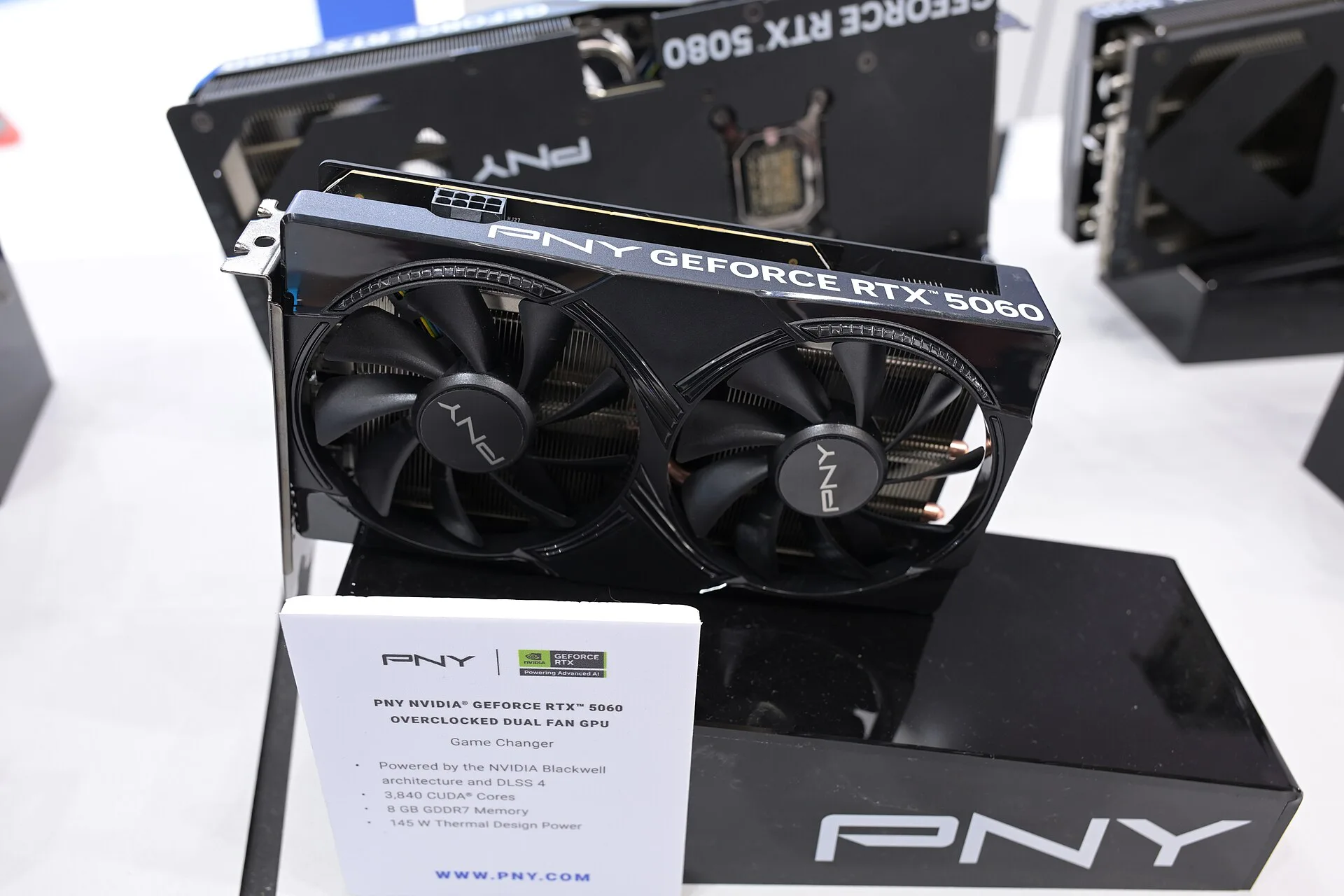
The desktop 5060 has 8GB of GDDR7 and an official total graphics power specification of 145W. I would first examine it when I want to keep the upgrade focused on current games and display needs. For 1080p, the relevant evidence is still the game, settings and target frame rate; this article makes no universal high-settings promise.
Check the 8GB capacity against the textures or workloads you actually use. Neither the number alone nor the new-generation label settles that question. Be particularly careful not to transfer specifications or benchmark results from the separate 5060 Ti.
RTX 5070: make the middle option earn its place
The 5070 has 12GB of GDDR7 and official total graphics power of 250W. I would consider it next if the requirements identified for the 5060 leave a concrete reason for more headroom. On a 1440p display, look for evidence from your own games at that resolution.
Being the middle option does not automatically make it the value winner. Check whether your power and case arrangements turn it into more than a card-only purchase. The 5070 Ti is different: make sure you read the correct column on a family specification page.
RTX 5080: name the higher-end requirement
The 5080 provides 16GB of GDDR7 and an official total graphics power figure of 360W. I would shortlist it for a specific demanding gaming or application brief. The word 4K is not a complete requirement; define the game, settings and desired result too.
Its trade-off extends beyond the card. Dimensions, connections and cooling must suit the actual PC. If I cannot identify the current limitation, I would investigate what the other candidates can do before selecting the highest number.
Read the conditions under a graph
Performance comparisons need matched resolution, settings and treatment of upscaling or frame generation. NVIDIA’s product graphs identify such conditions. A taller bar with a different rendering setup is not a clean measurement of the same proportional gain in native rendering.
Look for relevant game-specific evidence and keep the conditions beside the result. Average displayed frame rates do not alone establish latency or every momentary slowdown. I have not performed those tests here, so there are no invented numbers to fill the gap.
Power and price need the whole system
The 145W, 250W and 360W figures are official GPU specifications, not measured wall consumption for an entire PC or a promise of constant game power. Do not multiply them into a monthly electricity bill as though that were a measurement. System power guidance is a separate check.
Compare current quotes for exact manufacturer models, including warranty and returns. I would ask what the more expensive choice fixes before assigning it extra budget. Official specifications reduce the shortlist; your workload and complete PC must finish the decision.
Our three picks
- Check the existing briefRTX 5060
Match 8GB and current game requirements.
- Investigate the next stepRTX 5070
Use relevant 1440p evidence and check PC power arrangements.
- A defined demanding workloadRTX 5080
Match the intended 4K or application brief to the whole system.
Side by side
| Question | RTX 5060 | RTX 5070 | RTX 5080 |
|---|---|---|---|
| Scope | Desktop, non-Ti | Desktop, non-Ti | Desktop |
| Official memory | 8GB GDDR7 | 12GB GDDR7 | 16GB GDDR7 |
| Official total graphics power | 145W | 250W | 360W |
| My first check | Current games and display | Game-specific 1440p evidence | Specific 4K or application brief |
| Trade-off to examine | Memory requirements | Additional PC power needs | Complete upgrade cost |
| Before purchasing | Dimensions, cables, warranty | Dimensions, cables, warranty | Dimensions, cables, warranty |
| Not measured or verified | FPS, noise, heat, Korean price | FPS, noise, heat, Korean price | FPS, noise, heat, Korean price |
Where I would start
I would begin with the 5060 against a clear current brief and move upwards only for an identified reason. If a demanding workload is already defined, start there instead. Choose the card you can explain in terms of your screen and software, then verify the exact board dimensions and power connections.
