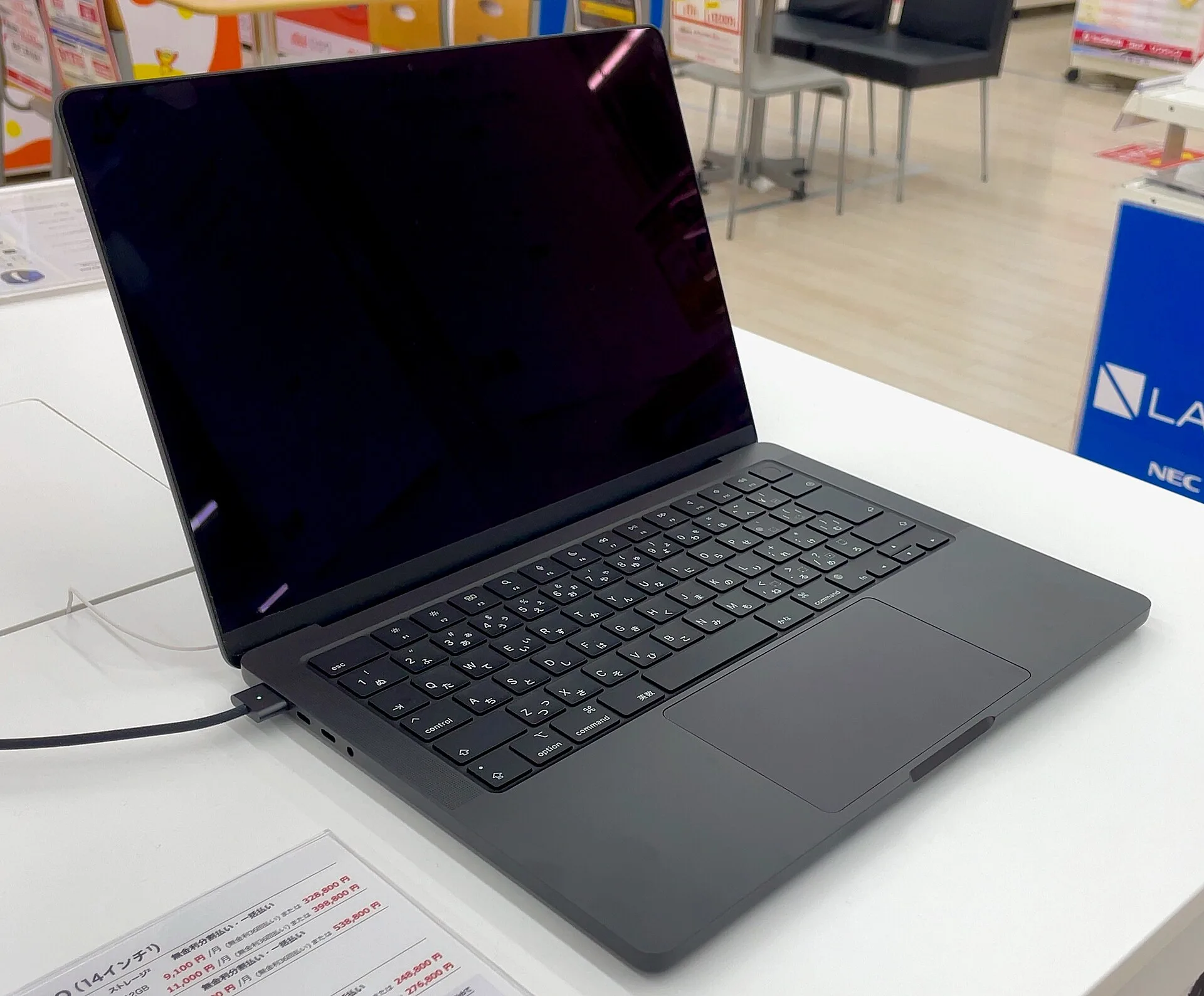
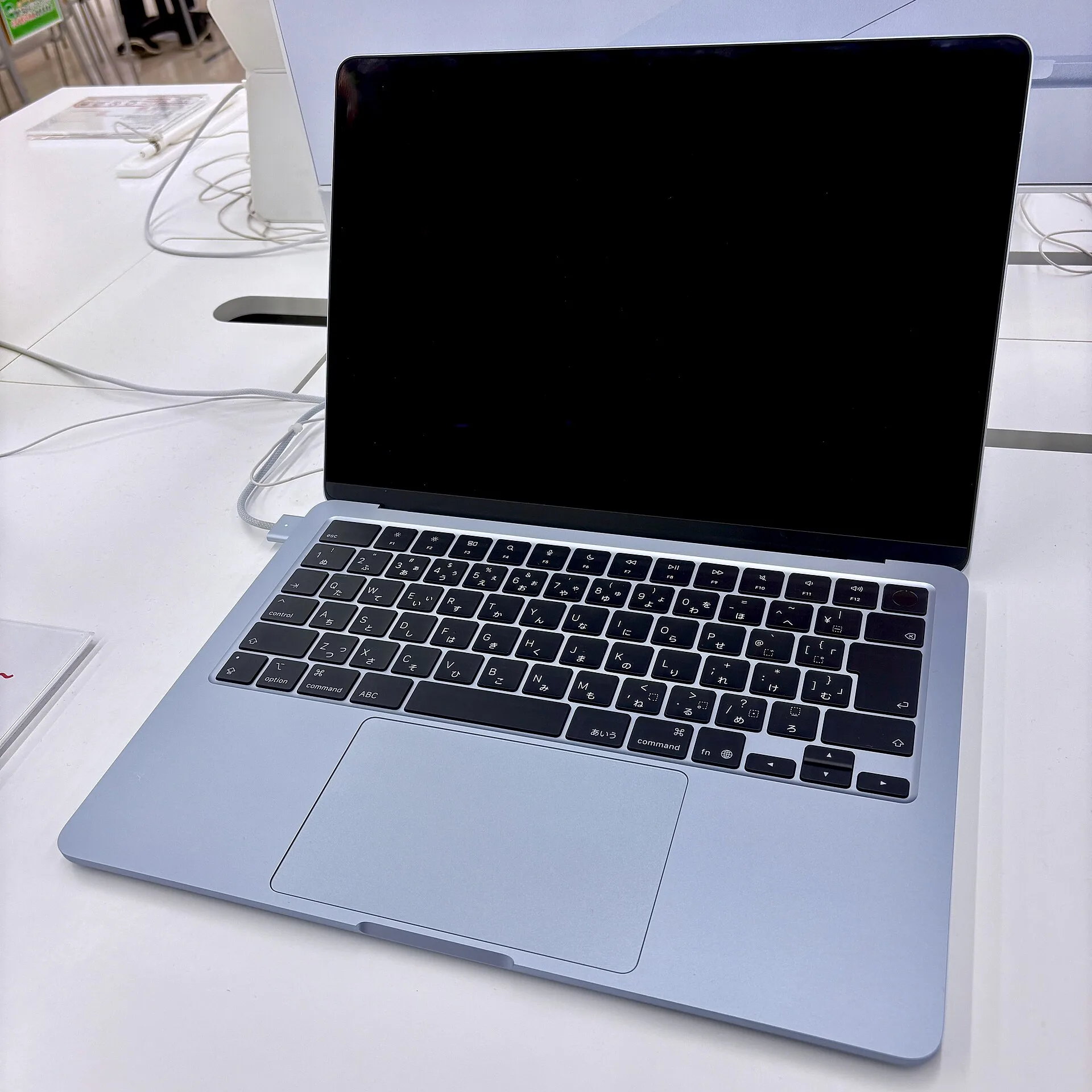
Apple announced new MacBook Pros on two consecutive days: a 14-inch MacBook Pro with the M6 chip on 27 October 2026, and on 28 October the MacBook Pro with PROLED XDR Display, with a tandem OLED screen and, for the first time on a Mac, touch. Apple now sells the MacBook Pro in two lines named after their displays, PROLED XDR and Liquid Retina XDR. Add the light MacBook Air (M5), and this piece compares the three by who uses them and for what. It is a research piece, not a review: the facts come from Apple’s US and Korean spec pages, store prices and Newsroom releases, checked on 29 October 2026 (US Central time). Both new models are on pre-order and start reaching customers on 6 November; this piece includes no independent test results, every battery and performance figure is Apple’s, and Apple measured battery life on preproduction units. I could not find a licensed photo of the new PROLED or M6 models, so the article shows an older (2023, M3) MacBook Pro instead, as its caption says.
Two MacBook Pro lines now: what Apple sells today
Apple’s US compare page lists 12 laptops as current on 29 October. The MacBook Pro now comes in two lines, named after their screens. The new MacBook Pro with PROLED XDR Display comes in 14- and 16-inch sizes with M5 Pro or M5 Max. The MacBook Pro with Liquid Retina XDR Display, the mini-LED design, stays on sale: its 14-inch model can be ordered with M6, M5 Pro or M5 Max, and its 16-inch with M5 Pro or M5 Max. So the M5 Pro and M5 Max models from March have not been discontinued; they sit alongside the PROLED models. The 14-inch M5 model is now listed under “More Laptops” on the compare page, and Apple’s store no longer offers it. The current MacBook Air is the M5 model, 13- or 15-inch, announced on 3 March.
Apple also sells the MacBook Neo, with an A18 Pro chip; this piece compares the two MacBook Pro lines and the MacBook Air, so the Neo is left out.
Check prices again before trusting older coverage: Apple’s store prices have risen since the March launches. The 13-inch MacBook Air launched at $1,099 and now starts at $1,299; the 14-inch Liquid Retina XDR model with M5 Pro went from $2,199 to $2,499. In Korea the same two went from ₩1,790,000 to ₩2,190,000 and from ₩3,490,000 to ₩4,190,000. None of the Apple pages I checked gives a reason or a date, and since the March releases do not state base memory, I could not confirm that the base configurations are identical (base storage is the same); these are starting prices. Apart from those launch prices, all prices here are Apple Store prices on 29 October (US Central time); US prices exclude sales tax and Korean prices include VAT.
Timing: both models went on pre-order in the US on 28 October. In Korea the M6 14-inch has been on pre-order since 29 October, and Apple’s Korean store lists PROLED pre-orders from 10 a.m. on 30 October (it gives no time zone; presumably Korean time). Both arrive from 6 November, in the US and, according to Apple’s Korean store, in Korea. Apple also said on 26 October that Siri AI now works in Korean, alongside English, French, Japanese, Portuguese and Spanish, with macOS 27.2. It is still a beta, and Siri AI and certain other features that rely on server-side models have daily usage limits.
MacBook Pro with PROLED XDR Display: OLED, touch and a lighter body
The screen is the point. The PROLED XDR display uses tandem OLED: 14.2 inches (3024 by 1986) on the 14-inch and 16.3 inches (3472 by 2266) on the 16-inch, both at 254 ppi. It holds up to 1000 nits full-screen (below 25°C, Apple notes) and peaks at 2000 nits for HDR content and for SDR outdoors, with a 10,000,000:1 contrast ratio and ProMotion from 10 to 120Hz. Besides P3 it covers Adobe RGB, the colour space photographers and print designers work in. Nano-texture glass, which cuts reflections, costs $150 more.
It is also the first Mac you can touch. You can swipe through a web page, pinch to zoom on a photo or double-tap a window to fill the screen, and Apple says the touch sensor is built into the panel to reduce latency. Apple says many existing apps work with touch right away because macOS turns touches into clicks, but the third-party apps it names as making use of touch, such as Notion, Canva, Zoom, Microsoft Word, Excel, PowerPoint and Outlook, Lightroom, DaVinci Resolve and Blender, carry the note that they will be available later this year. A Dynamic Island, as on the iPhone, now sits at the top of the screen as the home for Spotlight, Live Activities and Siri AI; Spotlight only moves there if Siri AI is available and turned on.
The body is lighter: 1.38 kg for the 14-inch with M5 Pro and 1.82 kg for the 16-inch, 220 g and 320 g less than the Liquid Retina XDR models with M5 Pro (1.60 kg and 2.14 kg). They are 1.50 cm and 1.60 cm thick. The 14-inch base model has an M5 Pro with a 15-core CPU and 16-core GPU, 24GB of memory and 1TB of storage; with M5 Max it goes up to 128GB of memory and 16TB of storage. Ports are three Thunderbolt 5, HDMI, an SDXC slot, MagSafe 3 and a headphone jack, with up to three external displays on M5 Pro and four on M5 Max. Apple rates the 14-inch M5 Pro at up to 22 hours of video streaming and 14 hours of wireless web; the “up to 24 hours” in the press release is the 16-inch M5 Pro’s video figure.
This is a laptop for people whose screen is their output: colourists grading video, photographers and designers who deliver in Adobe RGB, anyone who needs to see the screen in bright light. For them, OLED, 2000-nit peaks and Adobe RGB make a real difference. In the work Apple highlights, drawing straight on the screen, turning a 3D model by hand or playing software instruments on the display, touch opens a new way of working. And if you carry a 16-inch, losing 320 g matters.
The drawbacks are price and chip generation. The 14-inch base model costs $2,899, while the Liquid Retina XDR 14-inch with the same M5 Pro, memory and storage costs $2,499: you pay $400 (₩600,000 in Korea) mainly for the screen, touch, the Dynamic Island and 220 g. Its M5 Pro and M5 Max chips were launched in March, while the 14-inch model announced a day earlier uses the next-numbered M6. Apple has not compared the two directly, though, and the M5 Pro still leads the M6 model in CPU cores, memory, Thunderbolt 5 and external display support. Many touch-optimised third-party apps are not out yet, and with deliveries only starting on 6 November, this piece could not draw on any independent long-term tests of the OLED panel or the battery.
MacBook Pro with Liquid Retina XDR Display: the new M6 14-inch and the M5 Pro and Max models
The 14-inch M6 model is the cheapest MacBook Pro, from $1,999 (₩3,290,000). It comes with an M6 that has a 12-core CPU and 12-core GPU, 16GB of memory (up to 32GB) and 1TB of storage. Apple claims its GPU delivers up to 30 percent faster graphics and up to 25 percent faster AI workloads than M5, in Apple’s tests against a 14-inch MacBook Pro with M5 (10-core CPU, 10-core GPU, 32GB, 4TB). The 14.2-inch mini-LED Liquid Retina XDR display (3024 by 1964) reaches 1000 nits full-screen and 1600 nits for HDR, with a 1,000,000:1 contrast ratio and ProMotion up to 120Hz; it is not a touch screen. It weighs 1.55 kg and is 1.55 cm thick. Ports are three Thunderbolt 4, HDMI, SDXC and MagSafe 3, with up to two external displays. Apple calls its up-to-24-hour video streaming rating the longest ever in a Mac, although the 16-inch M5 Pro models carry the same rating.
The M5 Pro and M5 Max models from March remain on sale: the 14-inch M5 Pro from $2,499 (₩4,190,000) and the 16-inch from $2,999 (₩4,990,000). That is $400 less than the PROLED model with the same chip, with the same three Thunderbolt 5 ports and up to three external displays (four with M5 Max). Apple’s battery figures match the PROLED models with the same chip, too: 22 hours of video for the 14-inch M5 Pro, 24 for the 16-inch. The main differences are the screen (OLED, touch, Dynamic Island), weight and thickness; the PROLED models also get enhanced speakers, camera stabilisation for video calls while you use touch and, with M5 Max, up to 16TB of storage instead of 8TB.
This line is for pro users who do not need OLED or touch. Apple pitches the 14-inch M6 at college students, business users and creators who do a bit of everything. If your work is documents, code, photo editing and lighter video, and you want HDMI, an SD slot and long battery life, the M6 14-inch fits. If memory-hungry development, 3D or long video renders are the job, the M5 Pro or M5 Max Liquid Retina XDR models save you $400 over PROLED with the same chip.
The downsides are weight, ports and price. The 14-inch M6 weighs 1.55 kg, 320 g more than the 13-inch Air (1.23 kg) and 170 g more than the 14-inch PROLED (1.38 kg). Its ports are Thunderbolt 4, not 5, and it drives two external displays. It includes 1TB of storage, but it starts $700 above the 13-inch Air. And the M5 Pro and M5 Max models cost $300 to $500 more than at their March launch, so reviews from the March launch quote lower prices.
MacBook Air (M5): the light, silent everyday laptop
The MacBook Air comes in 13-inch (13.6-inch screen) and 15-inch (15.3-inch) sizes. It has an M5 with a 10-core CPU (an 8-core GPU in the base 13-inch, 10-core otherwise), 16GB of memory and 512GB of storage as standard. It weighs 1.23 kg (13-inch) or 1.51 kg (15-inch) and is 1.13 or 1.15 cm thick. It has no fan, so it runs silently. The Liquid Retina display is an LED-backlit IPS panel at 224 ppi and 500 nits. Apple rates the battery at up to 18 hours of video streaming and 15 hours of wireless web. Ports are two Thunderbolt 4, MagSafe 3 and a headphone jack, with up to two external displays. The 13-inch has four speakers, the 15-inch six.
For most students and office workers, people who mainly write, browse, handle documents and join video calls, the Air is, in my view, the safe choice: the lightest and cheapest of the three, from $1,299 for the 13-inch and $1,499 for the 15-inch, $500 to $700 below the M6 MacBook Pro. If you want a big screen without the weight and cost of a 16-inch Pro (1.82 to 2.14 kg), the 15-inch Air (1.51 kg, about half the price) is the one.
It has clear limits. At 500 nits its screen reaches half the Pro’s 1000-nit maximum (for SDR on the Liquid Retina XDR models, an outdoor figure), and Apple lists no ProMotion. With no HDMI or SD slot, you need adapters for camera cards or projectors. The fanless design is quiet, but if long renders or other heavy jobs are your daily work, a MacBook Pro with M5 Pro or M5 Max, which Apple pitches at “the most demanding workflows”, is the better match. It also costs $200 more than at its March launch. One Korea-specific detail: Apple’s Korean spec page lists a 30W adapter for the base 13-inch and a 35W dual-port adapter for other models, where the US ships a 40W Dynamic Power Adapter.
What each step up the price ladder buys
Sorted by price, the choice gets easier: in the US the 13-inch Air is $1,299, the 14-inch M6 MacBook Pro $1,999, the Liquid Retina XDR 14-inch with M5 Pro $2,499 and the PROLED XDR 14-inch with M5 Pro $2,899 (in Korea ₩2,190,000, ₩3,290,000, ₩4,190,000 and ₩4,790,000).
Going from the Air to the M6 MacBook Pro ($700 more) buys a mini-LED XDR screen with 120Hz ProMotion, HDMI and an SD slot, one more Thunderbolt port, twice the base storage (1TB) and, by Apple’s figures, six more hours of video streaming, at the cost of 320 g. Stepping up from the M6 to the Liquid Retina XDR M5 Pro ($500 more) buys a 15-core CPU and 16-core GPU, 24GB of memory, Thunderbolt 5 and a third external display, but by Apple’s figures loses two hours of video streaming (24 to 22) and adds 50 g. Moving on to PROLED XDR ($400 more) buys tandem OLED, touch and the Dynamic Island, and takes 220 g off.
Look at memory too. The Air and the M6 MacBook Pro start with 16GB, the M5 Pro with 24GB. If you keep many apps open or work with large photo and video files, I would weigh memory as heavily as the chip, and since it cannot be added after purchase, decide when you buy.
Related on Rank Three: the MacBook Air against the Galaxy Book4 and LG gram is in “MacBook Air vs Galaxy Book4 vs LG gram: choose the work before the laptop”; before moving to a new Mac, read “Backing up Mac files: Time Machine, Carbon Copy Cloner or restic?”; and if an iPad might do instead of a laptop, see “iPad mini vs iPad Air vs iPad Pro (2026): which iPad should you buy?”.
Our three picks
- MacBook Pro with PROLED XDR Display: OLED, touch and a lighter bodyMacBook Pro with PROLED XDR Display
For video, photo and design work where colour and brightness shape the result, and for anyone who wants to draw on or handle content directly on screen: tandem OLED (up to 2000 nits, Adobe RGB), touch and the Dynamic Island, at 1.38 kg for the 14-inch. It costs $400 more than the Liquid Retina XDR model with the same chip; it ships from 6 November (Korean pre-orders open 30 October).
- MacBook Pro with Liquid Retina XDR Display: the new M6 14-inch and the M5 Pro and Max modelsMacBook Pro with Liquid Retina XDR Display
For pro screens, ports and long battery life without OLED or touch: the 14-inch M6 is the cheapest MacBook Pro at $1,999, and if you need more performance and memory, the M5 Pro and M5 Max models in this line cost $400 less than PROLED with the same chip. Heavier than the Air.
- MacBook Air (M5): the light, silent everyday laptopMacBook Air (M5)
For students and office workers whose days are documents, web, video calls and photo sorting: 1.23 kg for the 13-inch, fanless and silent, with 16GB of memory and 512GB of storage as standard. The screen is 500 nits, there are only two Thunderbolt 4 ports and no HDMI or SD slot, and it costs $200 more than at launch.
Side by side
| What to check | MacBook Pro, PROLED XDR | MacBook Pro, Liquid Retina XDR | MacBook Air (M5) |
|---|---|---|---|
| US starting price | 14-inch M5 Pro $2,899; 16-inch $3,399 | 14-inch M6 $1,999; 14-inch M5 Pro $2,499; 16-inch $2,999 | 13-inch $1,299; 15-inch $1,499 |
| Korean starting price | 14-inch ₩4,790,000; 16-inch ₩5,590,000 | 14-inch M6 ₩3,290,000; 14-inch M5 Pro ₩4,190,000; 16-inch ₩4,990,000 | 13-inch ₩2,190,000; 15-inch ₩2,490,000 |
| Display | Tandem OLED, 14.2 or 16.3 inches; touch; Dynamic Island | Mini-LED, 14.2 or 16.2 inches; no touch | LED-backlit IPS, 13.6 or 15.3 inches |
| Brightness and contrast | 1000 nits full-screen, 2000 nits peak; 10,000,000:1 | 1000 nits full-screen, 1600 nits HDR peak; 1,000,000:1 | 500 nits |
| Refresh and colour | ProMotion 10–120Hz; P3 and Adobe RGB | ProMotion up to 120Hz; P3 | No ProMotion listed; P3 |
| Base chip, memory, storage | 14-inch M5 Pro (15-core CPU, 16-core GPU) or 16-inch M5 Pro (18-core CPU, 20-core GPU); 24GB, 1TB | 14-inch M6 (12-core CPU, 12-core GPU), 16GB, 1TB | 13-inch M5 (10-core CPU, 8-core GPU) or 15-inch M5 (10-core CPU, 10-core GPU); 16GB, 512GB |
| Weight | 14-inch 1.38 kg; 16-inch 1.82 kg | 14-inch M6 1.55 kg; 14-inch M5 Pro 1.60 kg; 16-inch 2.14 kg | 13-inch 1.23 kg; 15-inch 1.51 kg |
| Battery (Apple, video) | 14-inch M5 Pro up to 22 h; 16-inch M5 Pro up to 24 h | 14-inch M6 up to 24 h; 14-inch M5 Pro up to 22 h; 16-inch M5 Pro up to 24 h | Up to 18 h |
| Ports | Three Thunderbolt 5, HDMI, SDXC, MagSafe 3 | Three Thunderbolt 4 (M6) or Thunderbolt 5 (M5 Pro/Max); HDMI, SDXC, MagSafe 3 | Two Thunderbolt 4, MagSafe 3 |
| External displays | Three (M5 Pro), four (M5 Max) | Two (M6), three (M5 Pro), four (M5 Max) | Two |
| Announced / available | Announced 28 Oct 2026; from 6 Nov | M6 announced 27 Oct, from 6 Nov; M5 Pro/Max announced 3 Mar | Announced 3 Mar 2026 |
So which MacBook should you buy?
Start by asking whether a MacBook Air is enough. If your days are documents, web and video calls, it is the lightest and cheapest. If you need a brighter screen, more ports and longer battery life, the 14-inch M6 is the way into the Pro line. The PROLED XDR model earns its extra $400 for people whose results depend on OLED colour, brightness and touch; for everyone else, the Liquid Retina XDR model with the same chip is the sensible buy. If I were choosing, I would point most people to the 13-inch Air and those who need a Pro to the 14-inch M6. For the PROLED model, there is no harm in waiting until the touch-ready apps arrive (Apple says later this year) and real-world reviews build up after 6 November. Many prices have changed since March, so check Apple’s store again before you pay.

