Apple announced a new iPad mini on 26 October 2026, with an 8.5-inch OLED display, the A20 Pro chip and IP67 water and dust resistance. Pre-orders opened on 28 October (29 October in Korea) and Apple says it arrives from 6 November; Apple’s Korean store gives the same date. Of the iPads Apple sells today, three work with Apple Pencil Pro: the mini (A20 Pro), the Air (M4, 11- or 13-inch) and the Pro (M5, 11- or 13-inch); the entry-level iPad (A16) does not. This piece sorts them by who uses them and for what. It is a research piece, not a review: the facts come from Apple’s US and Korean spec pages, store prices and Newsroom releases, checked on 29 October 2026 (US Central time). The new mini does not reach customers until 6 November and I did not look for independent tests, so every performance and battery figure here is Apple’s. The photos show earlier generations or store display units, as each caption says. The entry-level iPad (A16) is not covered here.
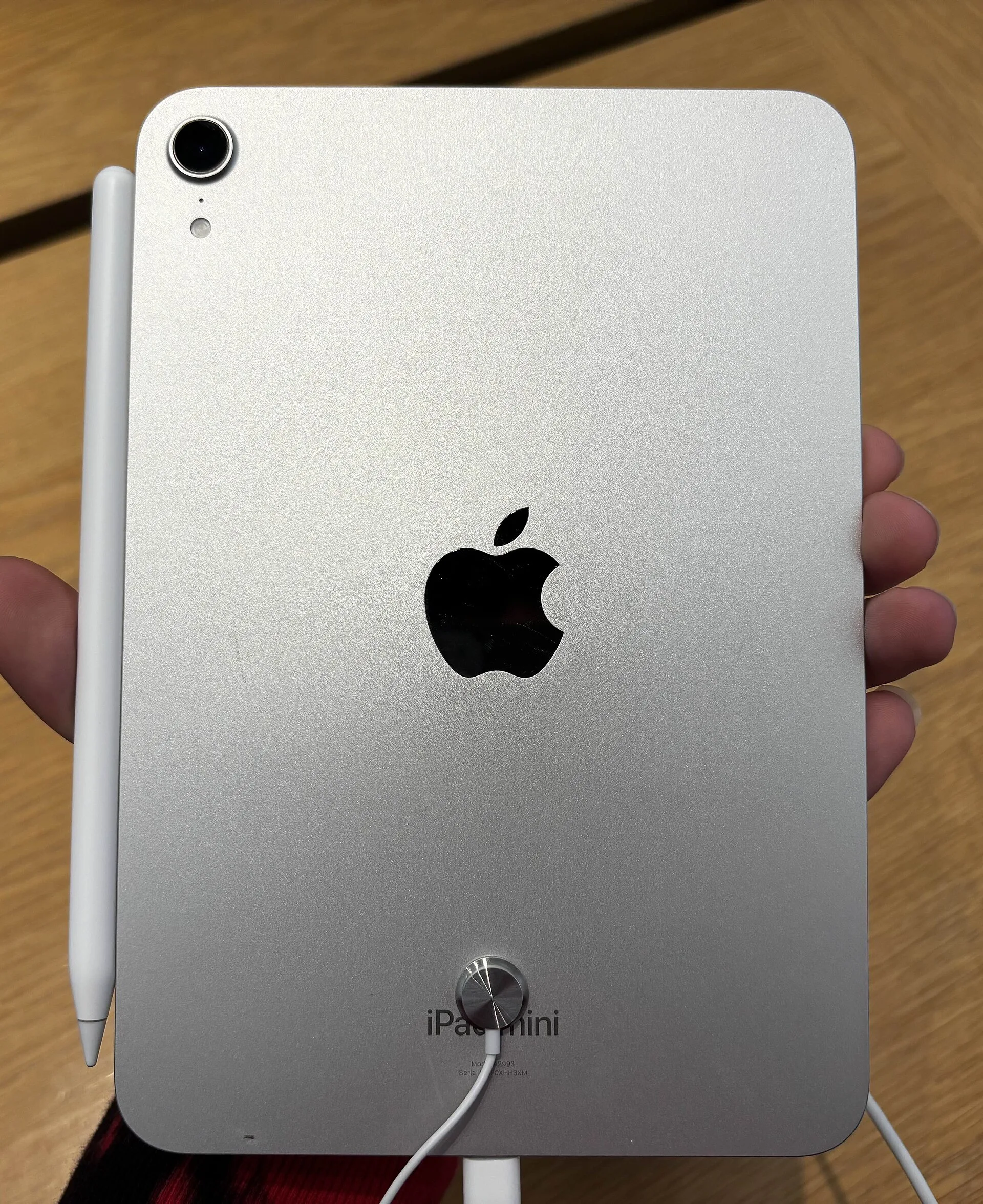
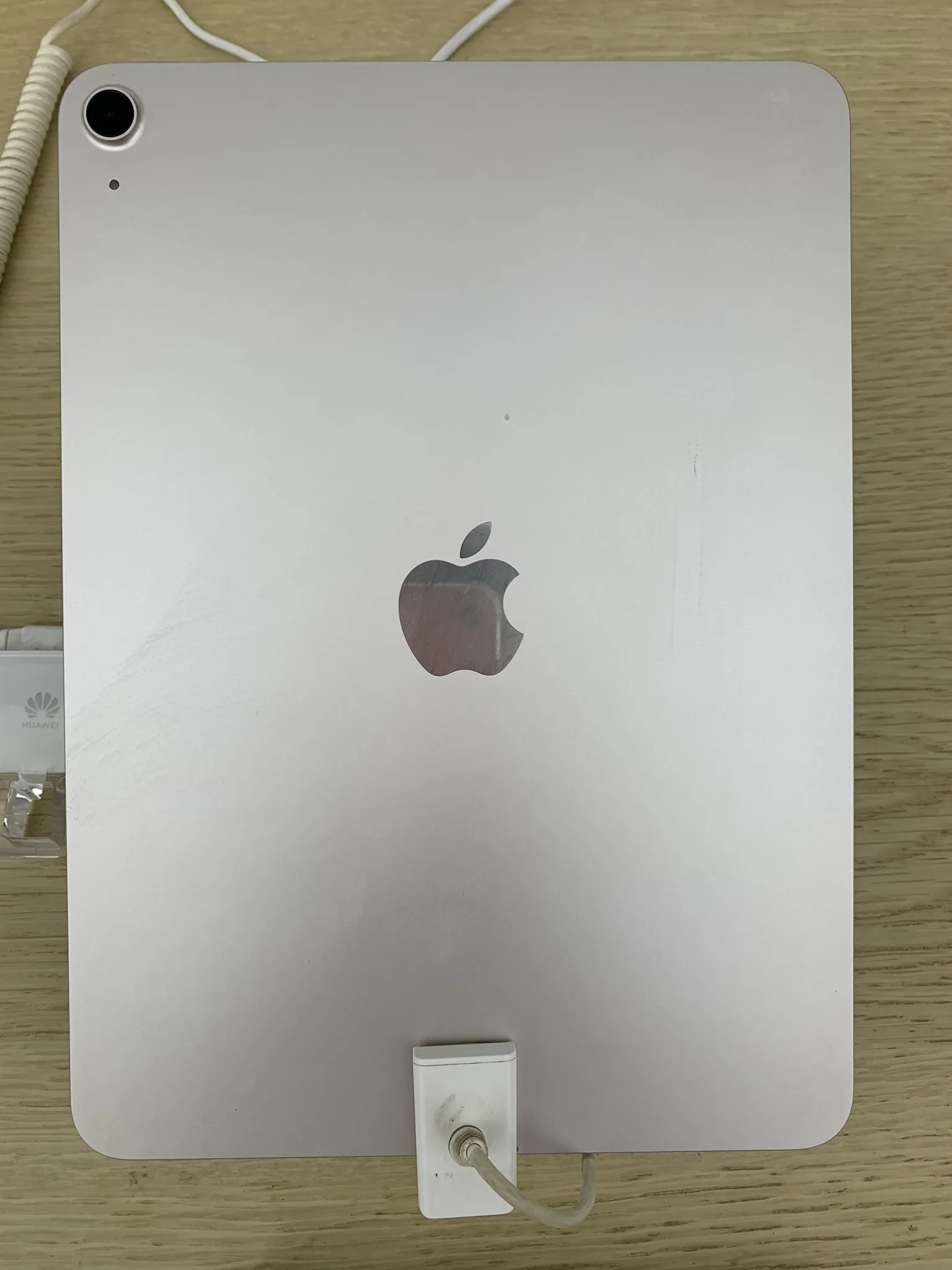
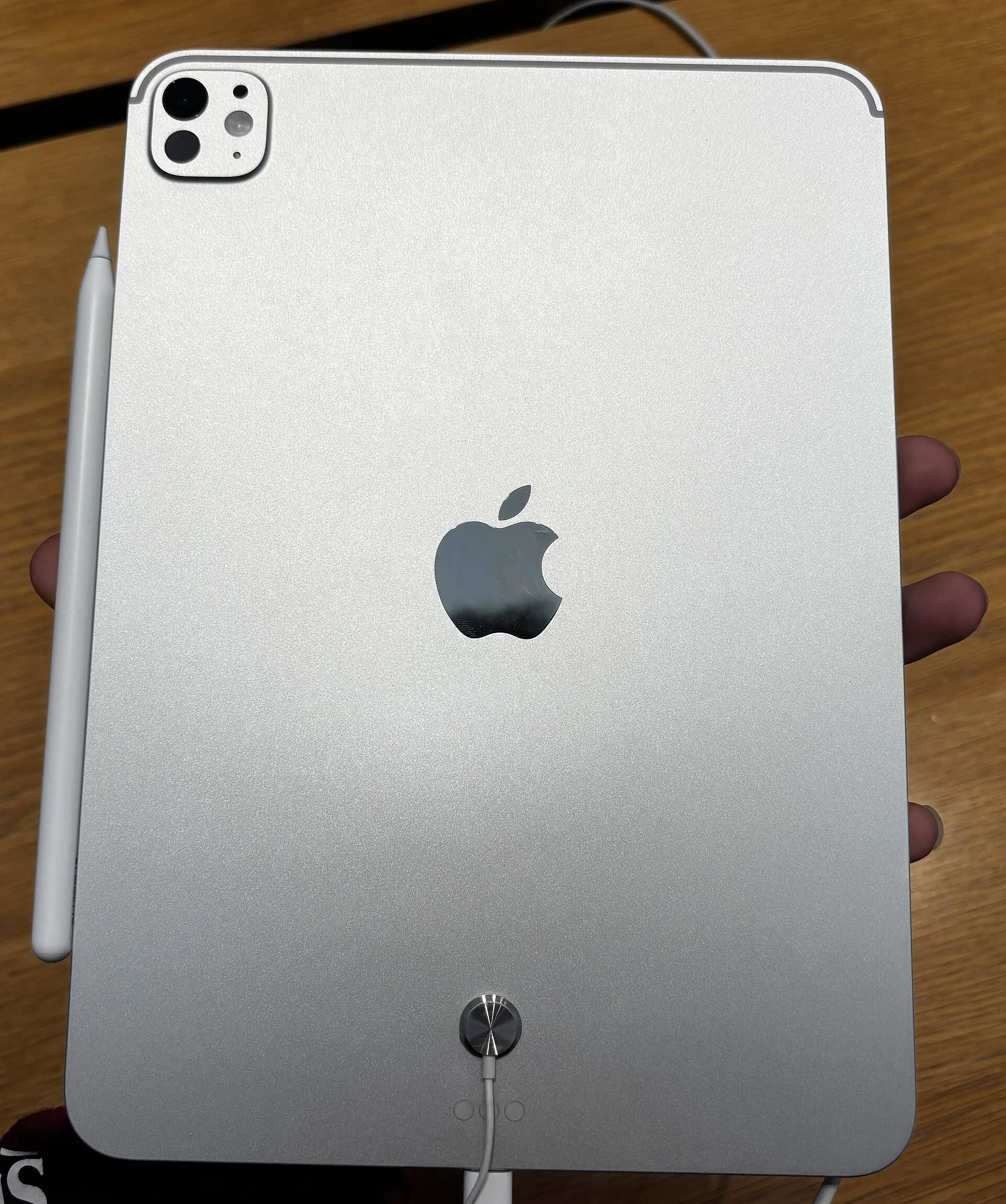
The three iPads Apple sells this autumn
Apple’s US compare page lists these iPads as current models on 29 October 2026: the 13- and 11-inch iPad Pro (M5), the 13- and 11-inch iPad Air (M4), the entry-level iPad (A16) and the iPad mini (A20 Pro). The previous iPad mini (A17 Pro) can no longer be chosen on Apple’s US or Korean store pages, and the compare page lists it under ‘More iPad models’ rather than with the current models. The three arrived at different times: the Pro was announced on 15 October 2025, the Air on 2 March 2026 and the new mini on 26 October 2026.
Be careful with prices from launch-day coverage. Apple’s store now asks more for the Air and the Pro than their launch press releases did. The 11-inch Air Wi-Fi model launched at $599 and now starts at $749; the 11-inch Pro went from $999 to $1,199, and the 13-inch models are up by the same amounts ($150 for the Air, $200 for the Pro). Korean prices rose too, by ₩300,000 for the Air and ₩400,000 for the Wi-Fi Pro. None of the Apple pages I checked gives a reason or a date for the change. Apart from those launch prices, every price here is the Apple Store price shown on 29 October; US prices exclude sales tax and Korean prices include VAT.
Some things are the same on all three. Each works with Apple Pencil Pro and Apple Pencil (USB-C), including hover, where the screen reacts before the tip touches it. None works with the second-generation Apple Pencil: Apple’s support page limits that pencil to the iPad mini (6th generation), the iPad Air (4th and 5th generation) and older iPad Pro models, so if you are upgrading from a 6th-generation mini, budget for a new pen. That support page, dated 27 October, does not list the new mini under any pencil yet; its Apple Pencil Pro and USB-C support comes from the mini spec page, the Newsroom release and Apple’s Pencil page. All three use Apple’s N1 wireless chip for Wi-Fi 7 and Bluetooth 6, and the cellular versions support 5G but use eSIM only, with no SIM tray.
Apple also said on 26 October that Siri AI, its new version of Siri, now works in French, Japanese, Korean, Portuguese and Spanish as well as English, with the 27.2 software updates. The compare page lists Apple Intelligence and Siri AI for all three models. Apple notes that Siri AI is still in beta and that Siri AI and certain other features relying on server-side models have daily usage limits.
iPad mini (A20 Pro): the one-handed iPad gets OLED and water resistance
The new mini measures 195.3 by 132.6 mm and is 5.4 mm thin; it weighs 255 g (Wi-Fi) or 263 g (cellular). Apple says bezels 24 percent thinner let the screen grow to 8.5 inches within the previous mini’s footprint. The display is an OLED panel Apple calls Super Retina XDR: 2316 by 1512 pixels at 326 ppi, 600 nits for SDR, up to 1200 nits peak for HDR content and down to 1 nit. Nano-texture glass, which Apple says reduces glare, is an option only on the 256GB and 512GB models, for $100 more.
The chip is the A20 Pro: a 5-core CPU in the 128GB and 256GB models and a 6-core CPU in the 512GB model, with a 7-core GPU in all. Apple claims up to 4.5 times the AI performance and up to 2.7 times the graphics performance of the previous mini, from its own testing. It does not state the memory size or the refresh rate; Apple lists ProMotion (up to 120Hz) only for the iPad Pro, so do not assume the mini has it. Touch ID sits in the top button, the USB-C port runs at up to 10Gb/s and drives one external display at up to 4K and 60Hz, the 12MP front camera has moved to the long edge for video calls, and cellular models use Apple’s C2 modem.
The mini is for people who carry their iPad everywhere. At 255 g it weighs a little over half as much as the 11-inch Air (464 g) or the 11-inch Pro (444 g). Apple’s release names doctors, field service workers and gamers as mini users, and, describing the 1-nit minimum brightness, readers in bed at night and pilots checking an electronic flight bag in the cockpit. It suits one-handed reading and handwritten notes in meetings or on site. It is also the only one of the three with a water and dust rating: IP67, up to 1 metre for up to 30 minutes. The Air and Pro spec pages list no rating at all, which matters if you use an iPad outdoors in the rain or by a pool. Apple adds that the resistance is not permanent and may decrease with normal wear, and that liquid damage is not covered under warranty.
The drawbacks are just as clear. The price: at $699 for 128GB Wi-Fi, the mini is only $50 below the 11-inch Air with the same storage. There is no Apple keyboard made to attach to it; Apple lists only Bluetooth keyboard support, so if you want a laptop-style keyboard and trackpad, the Air or Pro makes more sense. An 8.5-inch screen is tight for two apps side by side or for full-page documents and sheet music. And since it is not out yet, I could not check any independent battery or heat tests. Apple quotes up to 10 hours of web browsing on Wi-Fi or video playback, and about 50 percent in 30 minutes with a 35W-or-higher adapter, sold separately.
iPad Air (M4): where the keyboard and the 13-inch screen start
The Air comes in 11- and 13-inch sizes. Its Liquid Retina display is an LED-backlit LCD: 2360 by 1640 pixels and 500 nits on the 11-inch, 2732 by 2048 and 600 nits on the 13-inch. Apple describes the OLED screens of the mini and Pro as lighting each pixel individually for deeper blacks; the Air does not work that way, and Apple lists neither ProMotion nor a nano-texture option for it. The M4 chip has an 8-core CPU, a 9-core GPU and 12GB of unified memory. Both sizes are 6.1 mm thin; the 11-inch weighs 464 g and the 13-inch 616 g. Like the mini it unlocks with Touch ID in the top button, and its USB-C port (up to 10Gb/s) drives one external display at up to 6K and 60Hz.
The Air suits students and office workers who mix handwriting and typing. Add the Magic Keyboard for iPad Air ($269 for the 11-inch, $319 for the 13-inch) and you get a trackpad and a function row. For annotating lecture slides with a pen, an 11- or 13-inch screen gives you far more room than 8.5 inches. It is also the cheaper way to a big screen: the 13-inch Air starts at $949, $550 less than the 13-inch Pro, though the Pro starts at 256GB; at 256GB each the gap is $450. Its 12GB of memory matches the 256GB and 512GB Pro models.
Its weaknesses are the screen, the weight and the price. The screen is LCD, and its SDR brightness is half to 60 percent of the Pro’s 1000 nits. Surprisingly, it is heavier than the Pro: 20 g more at 11 inches (464 g against 444 g) and 37 g more at 13 inches (616 g against 579 g). There is no listed water rating, and it has fingerprint unlock rather than Face ID. Above all, with the 11-inch now at $749 instead of its $599 launch price, its old role as the easy middle choice is weaker than it was in March.
iPad Pro (M5): when the screen and the port are part of the job
The Pro also comes in 11 and 13 inches. Its Ultra Retina XDR display uses tandem OLED, and it is the only one of the three for which Apple lists ProMotion, from 10 to 120Hz. Resolution is 2420 by 1668 on the 11-inch and 2752 by 2064 on the 13-inch, with 1000 nits for SDR and up to 1600 nits peak for HDR. Nano-texture glass is offered on the 1TB and 2TB models. The M5 chip has a 9-core CPU and 12GB of memory in the 256GB and 512GB models, and a 10-core CPU and 16GB in the 1TB and 2TB models; the GPU is 10-core throughout. At 5.3 mm (11-inch) and 5.1 mm (13-inch) it is the thinnest of the three, weighing 444 g and 579 g. It unlocks with Face ID and has a Thunderbolt / USB 4 port at up to 40Gb/s.
The Pro earns its price when the screen and the port are part of the work: 120Hz for drawing, a bright OLED with up to 1600 nits of HDR for photo and video grading, and Thunderbolt for moving camera files to an external SSD. The Magic Keyboard for iPad Pro ($299 for 11-inch, $349 for 13-inch) adds an aluminium palm rest and a haptic glass trackpad. And if you want a 13-inch screen but worry about weight, remember that at that size the Pro is the lighter iPad.
The catch is cost. The 11-inch starts at $1,199 with 256GB and the 13-inch at $1,499, and a 13-inch 2TB cellular model costs $2,799, or $2,899 with nano-texture glass. Add a keyboard and a pencil and you are paying laptop money. The 16GB of memory and the 10-core CPU come only with 1TB or more. The M5 model was announced a year ago. And for reading and note-taking, most of what makes it a Pro goes unused.
The real price with Pencil, keyboard and storage
Pricing an iPad without its accessories gives the wrong answer. Apple Pencil Pro costs $129 and Apple Pencil (USB-C) $79; the Pro pencil adds pressure sensitivity, wireless pairing and charging, double-tap, squeeze, barrel roll, haptic feedback and Find My, none of which the USB-C model has. The new Smart Folio for the mini is $79. Adding Apple Store prices together: a 128GB Wi-Fi mini with Apple Pencil Pro and Smart Folio comes to $907; a 128GB Wi-Fi 11-inch Air with Apple Pencil Pro and Magic Keyboard, $1,147; a 256GB Wi-Fi 11-inch Pro with Apple Pencil Pro and Magic Keyboard, $1,627. In Korea the same three bundles cost ₩1,463,000, ₩1,863,000 and ₩2,643,000.
Storage matters too. The mini and Air start at 128GB, the Pro at 256GB; the maximums are 512GB, 1TB and 2TB. Storage also changes the chip: the mini’s 6-core CPU and dual 16-core Neural Engine come only with 512GB, and the Pro’s 16GB of memory and 10-core CPU only with 1TB or more. Cellular adds $150 to the mini and Air and $200 to the Pro (₩250,000 and ₩350,000 in Korea).
If you plan to use a cellular model in Korea, check your carrier first. All three cellular models are eSIM-only, and Apple notes that not all carriers support eSIM; I did not check Korean carriers’ eSIM terms for iPads. Wi-Fi 7, likewise, is available only in countries and regions where it is supported, Apple says.
Related on Rank Three: the entry-level iPad (A16) against the Galaxy Tab S11 and Xiaomi Pad 7 is in “iPad vs Galaxy Tab S11 vs Xiaomi Pad 7: include the pen in the price”, and if you are weighing an iPad against a laptop, see “MacBook Air vs Galaxy Book4 vs LG gram: choose the work before the laptop”.
Our three picks
- iPad mini (A20 Pro): the one-handed iPad gets OLED and water resistanceiPad mini (A20 Pro)
For people who carry an iPad everywhere to read and take notes, including outdoors and near water: 255 g, an 8.5-inch OLED screen, IP67 and Apple Pencil Pro support. There is no attachable Apple keyboard for it, it costs only $50 less than the 11-inch Air, and it ships from 6 November.
- iPad Air (M4): where the keyboard and the 13-inch screen startiPad Air (M4)
For students and office work that mixes handwriting and typing, and for a 13-inch screen well below Pro prices: Magic Keyboard support and 12GB of memory. The screen is LCD, it weighs more than the Pro of the same size, and it now starts $150 above its launch price.
- iPad Pro (M5): when the screen and the port are part of the jobiPad Pro (M5)
For drawing, photo and video work where the screen and the port shape the result: a 120Hz tandem OLED display, Thunderbolt, Face ID and a 579 g 13-inch model. It is the most expensive, from $1,199, and 16GB of memory comes only with 1TB or more.
Side by side
| What to check | iPad mini (A20 Pro) | iPad Air (M4) | iPad Pro (M5) |
|---|---|---|---|
| US starting price (Wi-Fi) | $699 (128GB) | 11-inch $749, 13-inch $949 (128GB) | 11-inch $1,199, 13-inch $1,499 (256GB) |
| Korean starting price (Wi-Fi) | ₩1,149,000 | 11-inch ₩1,249,000, 13-inch ₩1,549,000 | 11-inch ₩1,999,000, 13-inch ₩2,499,000 |
| Display | 8.5-inch OLED Super Retina XDR, 326 ppi | 11- or 13-inch LCD Liquid Retina, 264 ppi | 11- or 13-inch tandem OLED Ultra Retina XDR, 264 ppi |
| Brightness and refresh | SDR 600 nits, HDR peak 1200 nits; refresh rate not stated | SDR 500 nits (11-inch) or 600 nits (13-inch); no ProMotion listed | SDR 1000 nits, HDR peak 1600 nits; ProMotion 10–120Hz |
| Chip and memory | A20 Pro (5-core CPU, 6-core with 512GB); memory not stated | M4 (8-core CPU), 12GB | M5 (9-core CPU, 12GB; 10-core and 16GB with 1TB or more) |
| Weight (Wi-Fi) | 255 g | 464 g (11-inch), 616 g (13-inch) | 444 g (11-inch), 579 g (13-inch) |
| Thickness | 5.4 mm | 6.1 mm | 5.3 mm (11-inch), 5.1 mm (13-inch) |
| Unlock and port | Touch ID; USB-C up to 10Gb/s | Touch ID; USB-C up to 10Gb/s | Face ID; Thunderbolt / USB 4 up to 40Gb/s |
| Attachable Apple keyboard | None (Bluetooth keyboards supported) | Magic Keyboard for iPad Air (from $269) | Magic Keyboard for iPad Pro (from $299) |
| Water and dust | IP67 (1 m, up to 30 minutes) | No rating listed | No rating listed |
| Storage | 128GB to 512GB | 128GB to 1TB | 256GB to 2TB |
| Announced / available | Announced 26 Oct 2026; from 6 Nov | Announced 2 Mar 2026; from 11 Mar | Announced 15 Oct 2025; from 22 Oct 2025 |
So which iPad should you buy?
Start with size. If most of your iPad time is spent holding it in one hand on the move, get the mini; if you want a keyboard for study and documents, the Air; if screen quality and the port decide how your work turns out, the Pro. If I were buying today, I would point most note-takers and document workers to the 11-inch Air first. But with only $50 between it and the mini, someone who never uses a keyboard and values portability and water resistance over screen size may be better off with the mini. The new mini is not out until 6 November, so waiting for hands-on reviews costs little. And since Apple has already raised the Air and Pro prices since launch, check the store price again before you pay.


